
Custom rims read differently on every car
A polished deep-dish that transforms one car looks heavy on the next. Face depth, dish and finish are judged against your paint and your light, not against a white studio backdrop.
RIM VISUALIZER / YOUR PHOTO, YOUR ARCHES
Most rim visualizers ask for a year, make and model, then drop the rim onto a catalogue photo of that car. Rydex puts the same rim on a photo of yours — your colour, your drop, your arch gap.
ONE PHOTO · NO YEAR/MAKE/MODEL LOOKUP
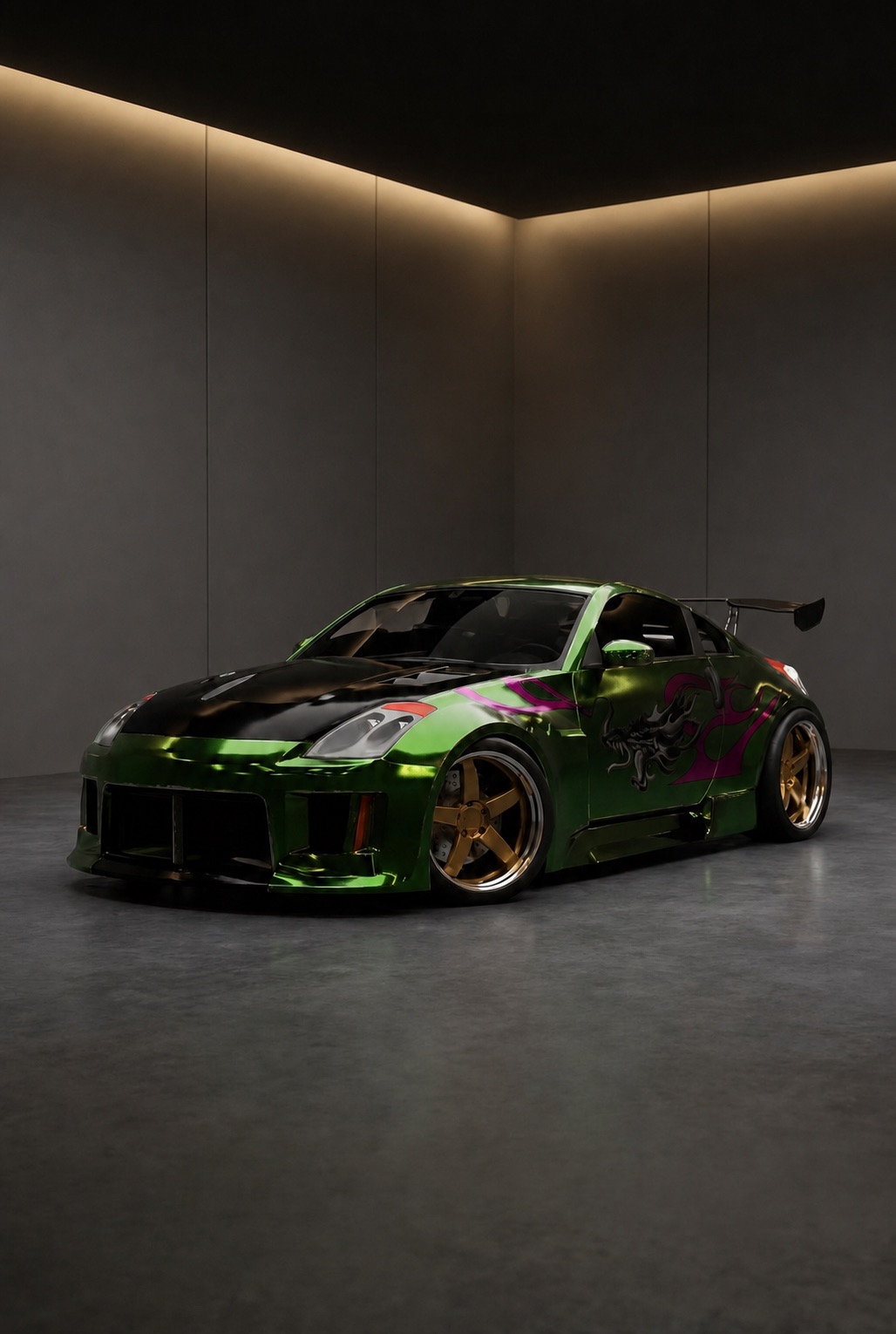
Rim visualizer
Every rim visualizer renders the same rim well. What separates them is the car it lands on — and a catalogue car stops being yours the moment anything about your car is not factory.
A polished deep-dish that transforms one car looks heavy on the next. Face depth, dish and finish are judged against your paint and your light, not against a white studio backdrop.
People asking to see rims on their car are really asking how the set sits in the arch. That depends on your springs and your tyres, so it can only be answered on a photo of your car.
A rim and tyre visualizer has to show both — a thin sidewall and a chunky one change the same rim completely. Judging the pair on your own bodywork is the point.
FROM CAMERA ROLL TO TUNE BAY
From camera roll to a photo-real preview in about a minute.
A clean front three-quarter shot works best. Add a rear angle later if you want to judge the dish from behind as well.
Work through the catalog — mesh, split-spoke, deep-dish, forged multi-piece — in bronze, gloss black, gunmetal, silver or polished.
Save the sets worth pursuing to your garage, put two side by side, and take the winner to your wheel shop to confirm the numbers.
BEFORE YOU PULL IN
That is exactly what Rydex does. Instead of picking your year, make and model from a dropdown, you add one photo of your car, and every rim you try from then on is rendered onto that photo.
Nothing — the two words describe the same tool, and people search for both. Rim tends to be the American term and wheel the British one, but either way you are trying to see a new set on your car before you spend on it.
Yes. The preview renders the whole corner of the car, so sidewall height and how the tyre meets the arch are part of what you are judging, not an afterthought.
No. It is a styling preview, not a fitment calculator — it will not confirm diameter, width, offset, brake clearance or tyre stretch. Settle the look here, then confirm the numbers with your wheel supplier before ordering.
MORE FROM THE GARAGE
YOUR CAR. ANY BUILD.
Add your car once and put every set you are torn between on it.
Open the garage