TUNINGLABVIRTUAL PERFORMANCE GARAGE

WHEEL VISUALIZER / YOUR PHOTO, YOUR CAR

SEE THE WHEELSON YOUR OWN CAR.

Most wheel visualizers drop a rim onto a stock silhouette in a studio. TuningLab fits the set to a photo of the car on your driveway, so the stance you judge is the stance you get.

ONE PHOTO · NO 3D MODEL REQUIRED

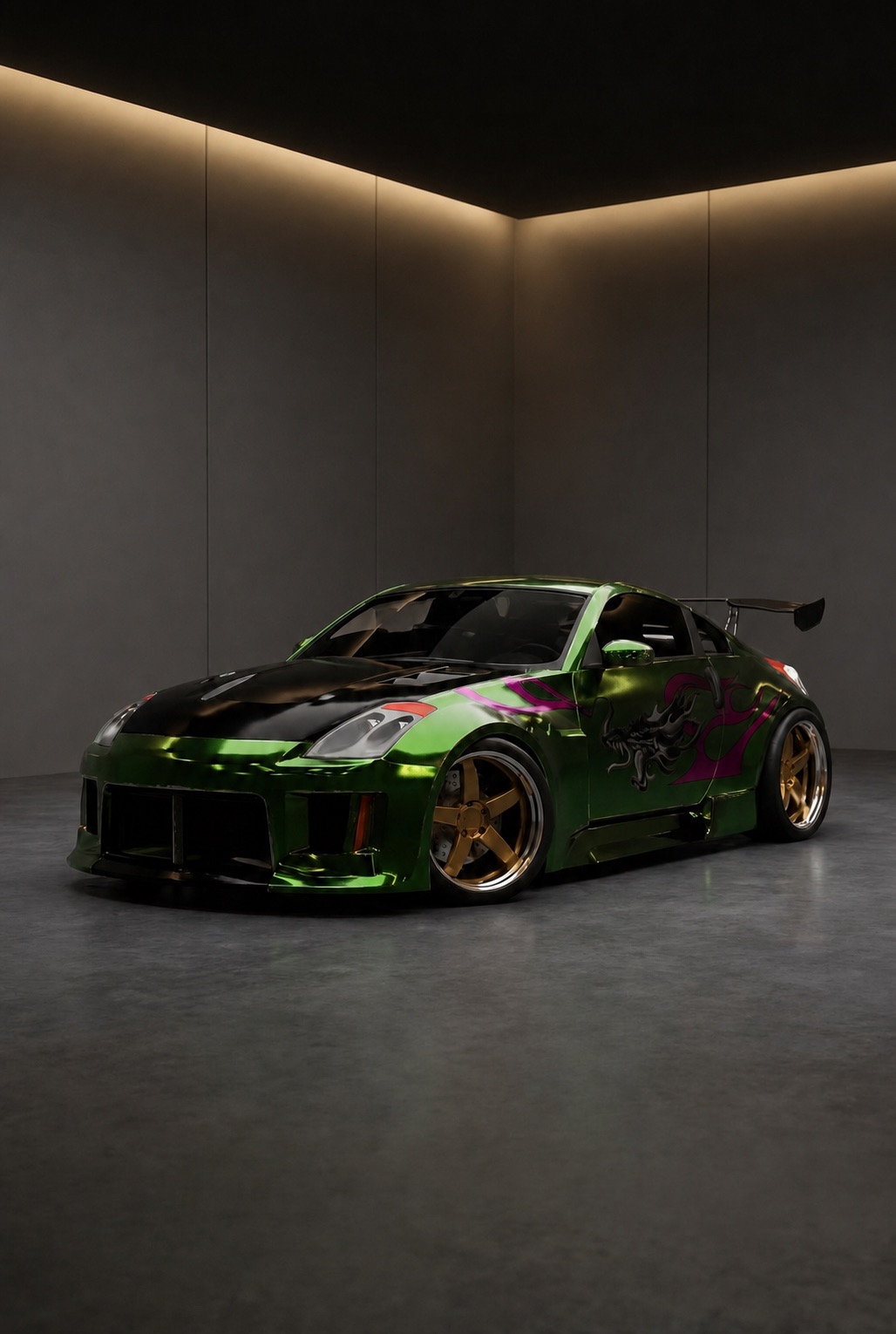
Virtual car tuning preview: a customized green Nissan 350Z on new wheels inside the TuningLab garage

Wheel visualizer

WHY A PHOTO BEATS A STOCK MODEL

Wheels are the one mod that changes a car from ten metres away, and the one that is hardest to imagine. A visualizer only helps if the body under the wheel is actually your body.

01

Your paint, your light, your angle

Traditional visualizers pick the closest generic shape from a library and light it in a white studio. TuningLab keeps the colour, the wear and the light of the car you photographed, so the render reads like a picture of your car rather than a brochure.

02

Stance, not just the spoke pattern

A wheel lives or dies on fitment: arch gap, face depth, dish, how the finish sits against your paint. Seeing a bronze mesh on your own arches answers a question a spinning 3D rim never can.

03

Cars with no 3D asset

Older, rare and already-modified cars almost never have a model waiting in a configurator library. If you can photograph it, you can visualize wheels on it.

FROM CAMERA ROLL TO TUNE BAY

THREE STEPS TO A FITTED SET

From camera roll to a photo-real preview in about a minute.

  1. 01

    Photograph your car

    A clean front three-quarter shot works best. Add more angles later if you want to judge the set from the rear as well.

  2. 02

    Pick a wheel

    Work through the tune catalog — classic mesh, deep-dish, split-spoke, forged multi-piece — in bronze, gloss black, gunmetal or polished finishes.

  3. 03

    Compare and keep

    Save the directions worth pursuing to your garage, put two sets side by side, and take the winner to your wheel shop.

BEFORE YOU PULL IN

WHEEL VISUALIZER FAQ

01Do I need a 3D model of my car?

No. A single photo is the entire setup. TuningLab renders the wheels onto that photo with AI instead of looking your car up in a model library, which is why it also works for rare, imported and already-modified cars.

02Can I upload my own photo?

Yes — uploading your own photo is the whole point. Add your car once and every wheel you try from then on is previewed on that car.

03Is the preview accurate enough to buy wheels from?

Treat it as a styling preview, not a fitment calculator. It answers whether a look suits your car; it does not confirm offset, width, tyre stretch or clearance. Confirm those numbers with your wheel supplier before ordering.

04Which wheel styles can I try?

The catalog covers the main tuning families — mesh, split-spoke, deep-dish, multi-piece and OEM-plus designs — across bronze, black, gunmetal, silver and polished finishes, with new sets added over time.

05Is this a wheel and tire visualizer, or wheels only?

Both, because they cannot be separated. The render covers the whole corner of the car, so the tyre sidewall and the way it meets the arch are part of the preview — a set that works on a thin sidewall can look completely different on a taller one.

MORE FROM THE GARAGE

KEEP EXPLORING

YOUR CAR. ANY BUILD.

PUT THE WHEELS ON BEFORE YOU BUY THEM.

Add your car once and try every set you have been arguing about.

Open the garage