
Comparison · 6 min read
3D tuning vs. your real car: which virtual tuner should you use?
One dresses up a generic 3D model of your car model. The other starts from the car on your driveway. Here is what each approach is actually good for.
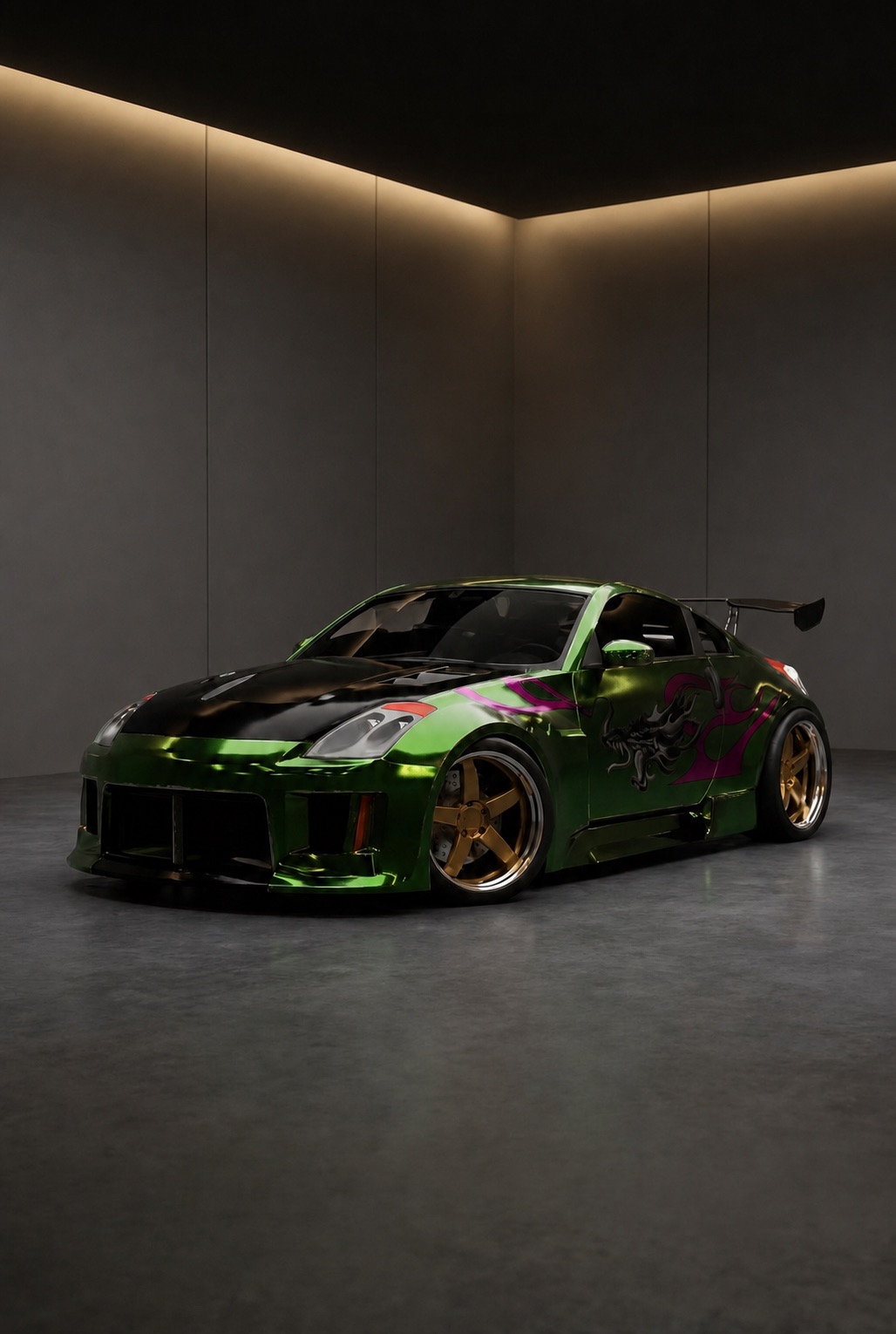
Type "3d tuning" into a search bar and you land on the same idea over and over: pick a car from a list, spin a 3D model around, bolt on wheels and body kits, screenshot the result. Sites like 3DTuning.com built a large audience on exactly that, and for well over a decade it was the only realistic way to see a modification before paying for it.
There is now a second approach, one that starts from a photo of the car actually parked outside your house. This guide covers how both work, where each is genuinely better, and how to choose between them.
What "3D tuning" actually means
A 3D tuning configurator (often written as one word, 3dtuning) is a library of pre-built 3D car models paired with a library of pre-built parts. You select the closest match to your car by make, model and generation, then swap components: wheels, ride height, spoilers, bumpers, paint, window tint. The renderer redraws the model with your choices applied.
The value is speed and repeatability. Every part is already modelled to fit every car in the catalogue, so nothing ever looks broken, and you can try forty wheel designs in ten minutes.
What a 3D tuning configurator does well
- Instant swaps. No upload, no processing queue — the scene re-renders as fast as you can click.
- Real numbers. Wheel width, offset, camber and ride height are often exposed as sliders, which is genuinely useful when you are planning fitment rather than looks.
- Any angle you want. It is a 3D scene, so you can orbit the car, drop the camera to kerb height and check the rear three-quarter.
- Free and browser-based. Nothing to install, and the classics still run on an old laptop.
Where the 3D model breaks down
The limitation sits in the first word. You are tuning a model of a car — not your car.
- Your colour is not in the list. A configurator offers factory swatches on a showroom body. It cannot show you what bronze wheels look like against twelve-year-old paint in the light where you park.
- Your car may not be in the catalogue at all. Rare trims, facelifts, grey imports, kei cars, anything already modified — if nobody built the asset, you are picking a stand-in.
- Everything looks equally good. Because the model is idealised, every combination renders clean. The mistakes you want to catch before spending money are exactly the ones an idealised model hides.
- The output does not travel. A shaded 3D render reads as a game asset, so it is hard to use for a build thread, a shop quote or a group chat argument about wheel colour.
The photo-based alternative
Rydex attacks the same problem from the other end. You upload one clear photo of your car — a front three-quarter shot works best — and that photo becomes the base layer for everything after it. When you pick bronze TE37s or a carbon lip, an AI image model fits the part onto that photo while keeping your paint, your lighting, your arches and your background intact.
There is no 3D asset to look up, so the catalogue problem disappears: a 1997 import with a bumper already swapped works exactly as well as a current-generation Golf. The setup cost is one photo.
3D tuning vs. Rydex, side by side
| 3D tuning configurator | Rydex | |
|---|---|---|
| Starting point | A generic 3D model of your car model | A photo of the car you own |
| Car coverage | Only cars someone modelled | Any car you can photograph |
| Paint and condition | Catalogue colours on a clean body | Your real colour, wear and light |
| Fitment numbers | Offset, width and ride-height sliders | Visual comparison, no numeric sliders |
| Angles | Orbit to any angle | The angles you photographed, plus orbit clips |
| Speed | Instant | Seconds per render |
| Look of the output | Clean CGI | Photo-real and shareable |
| Cost | Usually free, ad-supported | Free to start, paid plan for heavy use |
So which one should you use?
They answer different questions, and it is worth being honest about that.
- Use a 3D tuning configurator when you are working out numbers — what a 9.5J +22 does to your arch gap, how a 40 mm drop changes the profile. Sliders beat photographs for that, every time.
- Use Rydex when you are working out whether you actually like it — on your car, in your colour, in your driveway. That is the question you end up spending money on.
The two stack well. Block out the spec in a configurator, then confirm the look on your own car before anything goes in a basket.
What neither tool can tell you
Neither is a fitment guarantee. No render will tell you whether a wheel clears your calipers, whether a body kit is road legal where you live, or whether a supplier's finish matches the photo on their site. Confirm specs with the manufacturer before you buy. Virtual tuning is for deciding what you want, not for signing off the order.
Questions about this
01Is Rydex the same as 3D tuning?+
No. A 3D tuning configurator customises a generic 3D model of a car model. Rydex covers the same categories — wheels, aero, body kits, lighting, liveries — but renders them with AI onto a photo of your actual car, so the preview matches the car outside rather than a showroom stand-in.
02Do I need a 3D model of my car?+
No. One clear photo is the entire setup. That is the main practical advantage over 3D tuning for rare, modified or older cars that never had a 3D asset built for them.
03Is 3D tuning free?+
Most browser-based 3D tuning configurators are free and ad-supported. Rydex is free to sign up, add your car and start your first build; because every render runs on cloud hardware, heavier use is covered by an optional paid plan.
04Can I tune a car that is already modified?+
Yes, and this is where photo-based tuning pulls clearly ahead. The photo already contains your current wheels, ride height and bodywork, so new parts are previewed on top of the build as it stands today.
Rydex previews are AI-generated concepts. Always confirm fitment, specification and local road-legality with the manufacturer before buying or installing a part.