
Guide · 5 min read
How to tune a car virtually before you spend a cent
The five-step process for tuning a car virtually — from the photo you shoot to the build list you actually order from.
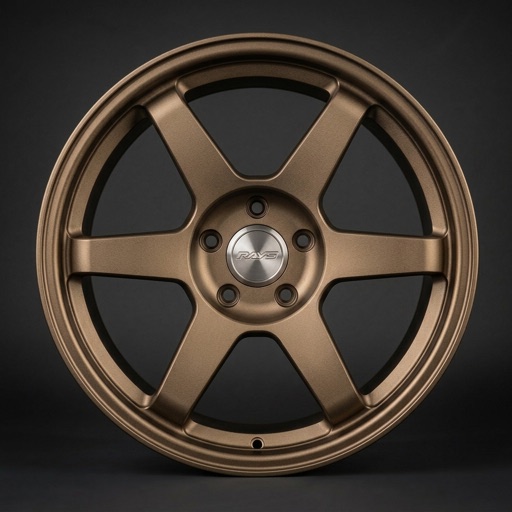
Most expensive tuning mistakes start the same way: a part that looked incredible on somebody else's car, ordered at one in the morning, fitted, and immediately wrong. Wrong wheel colour against your paint. Aero drawn for a lowered car when yours sits at stock height. A livery that argues with the body line.
Tuning a car virtually first does not replace the build. It moves the decision earlier — to the point where changing your mind costs nothing. This is the process that works.
1. Shoot the photo properly
Everything downstream depends on one image, so it is worth ten minutes of care.
- Front three-quarter, roughly at headlight height. It shows the face, the flank and a full wheel arch at once — the three things most parts change.
- Even light. Overcast beats midday sun; hard shadows across the body hide exactly the surfaces you need to judge.
- Whole car in frame, clean background. No cropped bumpers, nothing parked half a metre behind you.
- Wash it first. Any tool works from what it can see — and so will you, when you compare before and after.
Extra angles are worth adding if you have them. A rear three-quarter shows spoilers and diffusers properly; a straight-on side shot is the honest test for ride height and wheel fitment.
2. Choose the direction before the parts
Picking parts one at a time leaves you with a car full of good ideas that disagree with each other. Choose a direction first — track, stance, OEM+, JDM street, show — and let it filter the catalogue for you. Half the parts you were considering stop being options, which is the point.
3. Change one system at a time
Wheels, then aero, then lighting, then livery — in that order, one change per preview. Stacking four changes into a single render tells you the combination works, but not which change did the work. When something looks off, you want to know exactly which part to swap.
Wheels come first because they change the character of a car more per euro than anything else, and because every later decision gets judged against them.
4. Judge it at the right size
- Look at it on a phone at arm's length. That is how everyone else will see the car.
- Compare against the original photo, never against the previous render — preference drifts fast when you only ever compare to the last step.
- Check the parts you did not change. A good preview keeps your plate, your trim and your background consistent; if those moved, do not trust the rest.
- Give it a day. The version you still like on Tuesday is the one worth building.
5. Turn the winner into a build list
A preview is a shopping brief, not a receipt. Write down the exact part, the size and offset, the finish and the supplier. Then verify each line against real specifications: brake clearance, arch clearance, whether the kit is legal to register where you live, and whether the finish you liked in the render is the finish actually being sold.
Order in the sequence you previewed. If money runs out halfway, you still end up with a coherent car rather than half of two ideas.
What virtual tuning will not do for you
It will not confirm fitment, it will not promise a wheel clears your calipers, and it will not make a part road legal. Every render is a concept image and the verification stays yours. What it does reliably do is stop you buying the version you would have regretted — which is usually worth more than the render itself.
Questions about this
01Can I tune a car online for free?+
Yes. Creating an account, adding your car and starting your first build costs nothing on Rydex. Renders run on cloud hardware, so an optional paid plan covers heavier use.
02What photo works best for virtual tuning?+
A clean front three-quarter shot taken at roughly headlight height, in even light, with the whole car in frame. Additional angles help, but one good photo is enough to start.
03Does virtual tuning work on a completely stock car?+
That is the ideal case. A stock car gives you a clean baseline, so every preview shows exactly what a single part changes.
04How long does a render take?+
Seconds rather than minutes. Each preview is generated on cloud hardware and saved to your garage, so you can line up several directions and compare them side by side later.
Rydex previews are AI-generated concepts. Always confirm fitment, specification and local road-legality with the manufacturer before buying or installing a part.